For youth and school softball & baseball coaches
Run your team from the dugout.
Ball Coaches Toolkit keeps your roster, lineups, schedule, walk-up songs, scorebook, practice plans and wristband cards in one app, built for coaches of youth, travel and school softball and baseball teams, and the staff who help them.
Free to use. Sign up with your email. We’ll send a link to confirm it, then you’re in.
- RosterEnter your players once. Every other tool uses them.
- LineupsBatting order, field positions and pickup players, plus a printable lineup card.
- ScheduleGames and practices synced from GameChanger, straight into your phone’s calendar.
- Walk-up songsOne tap plays each hitter’s song, trimmed to the best part.
- ScorebookScore every pitch, keep season stats and give parents a live page.
- Practice plansTimed plans from a drill library, run from the field.
- WristbandsPlay-call cards for players and a key for coaches, ready to print.
See it in action
A 42-second look at the app, filled in with an example team.
See it on a phone
Real screens from the app, filled in with an example team.
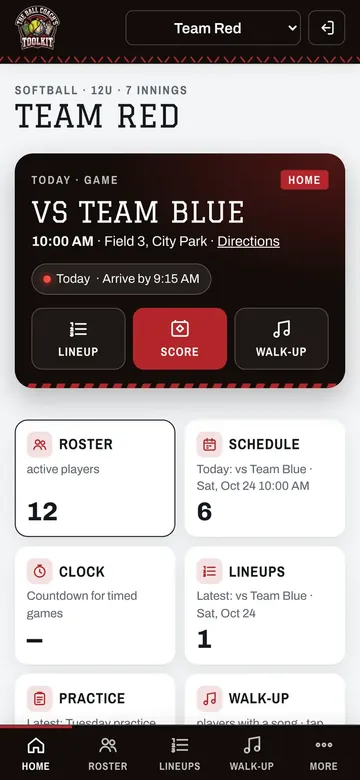
Game day at a glanceToday’s game, with your lineup, scorebook and walk-up songs one tap away. 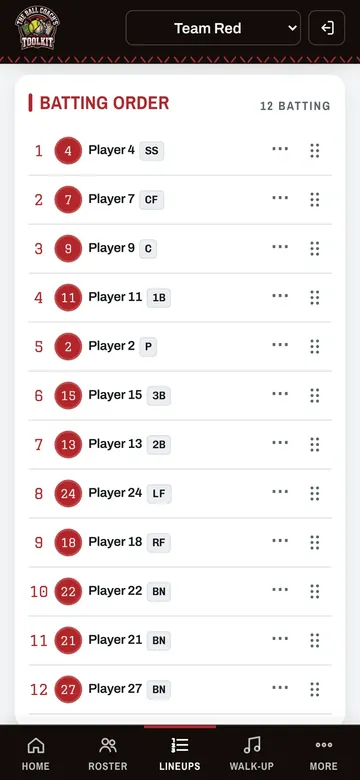
LineupsDrag players into your batting order and set positions inning by inning. 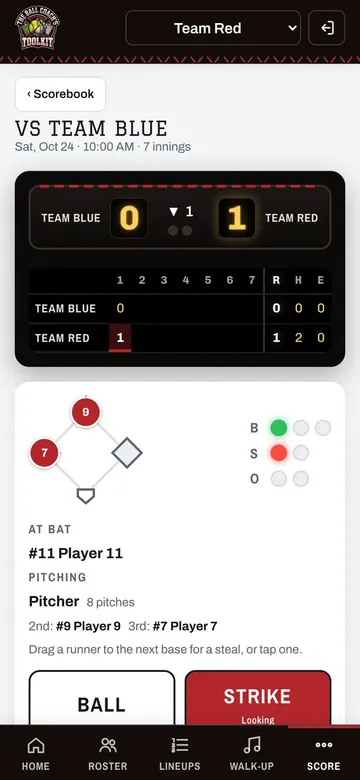
ScorebookScore every pitch. Stats add up on their own, and parents can follow a live page. 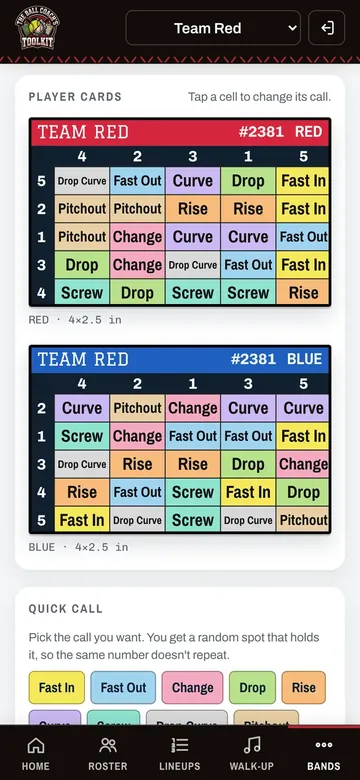
WristbandsPlay-call cards for your players and a key for coaches, ready to print.


Made for the field
On your phone, even with bad signal
Add it to your home screen and it opens like an app. Your saved lineups and walk-up songs keep working when the signal drops, and changes save once you’re back online.
Your assistants, your rules
Invite assistant coaches to your team and choose what each one can edit, only view or not see at all, tool by tool.
Keeps up with GameChanger
Your schedule syncs from GameChanger, so there are no games to retype.
How to get started
- Create your accountYour name, email and a password.
- Confirm your emailTap the link we send you.
- Set up your teamAdd your roster once, and every tool is ready.
Questions coaches ask
How much does it cost?
Nothing. Ball Coaches Toolkit is free to use, with every tool included. Walk-up songs from Apple Music need the coach’s own Apple Music subscription; MP3 songs work without one.
Who is Ball Coaches Toolkit for?
Head coaches, assistant coaches and team staff of youth, travel and school softball and baseball teams. Players don’t sign up; coaches enter the roster.
Does it work for both softball and baseball?
Yes. Pick the sport when you set up a team. Positions, the drill library and the wristband call sets follow the sport you pick.
Do I need to download it from an app store?
No. It runs in the web browser on any phone, tablet or computer. You can add it to your home screen so it opens full screen, like an app.
Does it work without a signal at the field?
Your saved teams, lineups and walk-up songs are kept on your phone, so they keep working when the signal drops. Changes save to your account once you’re back online.
Can my assistant coaches use it too?
Yes. Invite staff from Settings › Staff and pick a role for each one: Admin, Head coach, Assistant coach or Volunteer. You can also choose, tool by tool, what each person can edit, only view or not see at all.
Can parents follow the game?
Yes. Turn on your team’s live link in the Scorebook and share it. Parents see the score, plays and recaps without signing in. Players show as first name, last initial and jersey number.
Does it work with GameChanger?
Your GameChanger schedule can sync into the Schedule, so games and practices show up without retyping. The sync is one way, from GameChanger into the toolkit.
How is my players’ information kept private?
Each team is only available to its own coaches. Team information, including parent contacts and medical notes, is encrypted on our server, and we never sell it or show ads. The privacy policy has the details.
Can I delete my account?
Yes, any time, in Settings › Your account › Delete account. How deleting your account works.
More answers on the Help page, or email support@ballcoacheskit.com.
Ready for game day?
Free to use. Every tool is included.
Have an account?